Centralized Hub for
Primary Student Service Areas
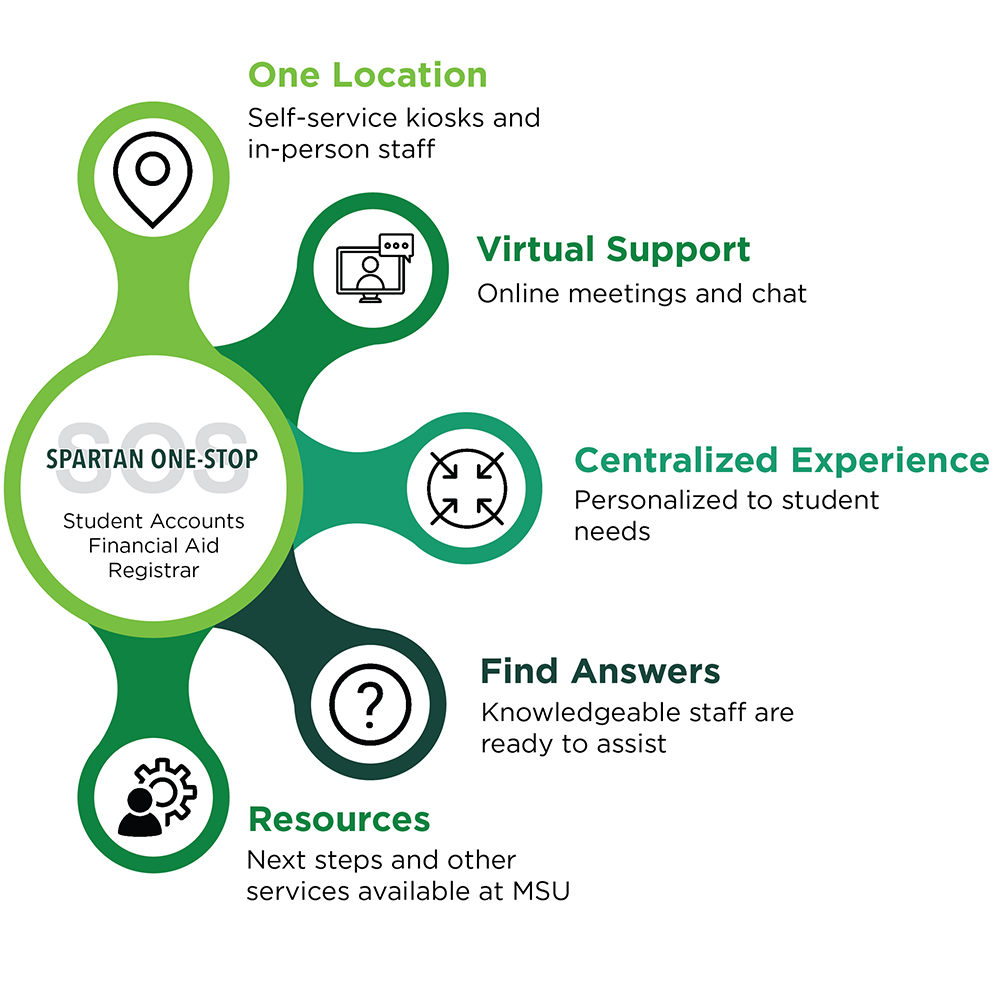
Spartan One-Stop is a centralized hub designed to provide seamless support for three primary student service areas at Michigan State University. Our goal is to answer 85% of your enrollment or billing account questions. We aim to provide convenient methods to quickly and confidently answer your questions so you can focus on the day at hand.
One-Stop offers services related to student accounts, financial aid, and the registrar through various methods, including in-person, phone and email. Use the information below to connect with our team. See our contact page for more details.
Hours
Monday through Thursday, 9 a.m.-4:30 p.m.
Friday, 9:30 a.m.-4:30 p.m.
Phone
(517) 432-8000
In-person
Hannah Administration Building
426 Auditorium Road, Room 140 (First Floor)
East Lansing, MI 48824
Frequently Asked Questions
Scholarship Checks
I have received a scholarship check in the mail. What is the best way to send it to MSU?
Include your student PID with the check.
Mail scholarship checks to:
Office of Financial Aid
Michigan State University
Student Services Building
556 E. Circle Dr., Room 252
East Lansing, MI 48824
If the check is payable to you or jointly payable to you and Michigan State University, you must endorse the back of the check before submitting it.
Monitor your student account and billing statements to confirm that the scholarship has been applied.
Can I deliver a scholarship check in person?
Yes. Bring it to:
Spartan One-Stop
Hannah Administration Building
426 Auditorium Road, Room 140
East Lansing, MI 48824
Refunds
When will I receive my refund?
A refund is issued when the financial aid and payments applied to your student account are greater than your eligible charges.
Changes to your enrollment may affect your financial aid and refund amount.
What is the Summer and Fall 2026 refund schedule?
- Wednesday, August 12: Summer 2026 students and Fall 2026 Veterinary Medicine students
- Wednesday, August 19: Summer 2026 students and Fall 2026 Veterinary, Osteopathic and Human Medicine students
- Wednesday, August 26: Summer 2026 students and Fall 2026 Veterinary, Osteopathic and Human Medicine students
- Friday, August 28: All eligible Summer and Fall 2026 students
- Wednesday, September 2: All eligible Summer and Fall 2026 students
- Friday, September 4: All eligible Summer and Fall 2026 students
After September 4, refunds will be processed every Wednesday for the remainder of the semester.
Private and Federal Student Loans
I was approved for a private loan, but I don’t see it on my account.
Private loans may take approximately one to two weeks to appear on your student account after approval.
Why are my federal loans not showing on my bill?
Federal District Loans will not be disbursed until all required steps are completed. You may need to:
- Accept the loan in the Financial Aid Portal.
- Complete the Direct Loan Master Promissory Note.
- Complete Direct Loan Entrance Counseling.
- Meet all enrollment and financial aid eligibility requirements.
Links to the Master Promissory Note and Entrance Counseling are available in the Financial Aid Portal.
How do I accept or decline my loans?
- Log in to the Student Information System at student.msu.edu
- Select the Financial Aid tile.
- Open the Financial Aid Portal.
- Select Financials from the top menu.
- Locate your award summary.
- Select the pencil icon or the option to update your loan acceptance.
- Select Start Loan Acceptance.
- Choose to accept the full amount, accept a reduced amount or decline the loan.
- Confirm how the loan should be divdied between semesters.
- Complete the electronic consent and signature.
- Continue until you reach the confirmation page.
If you have both subsidized and unsubsidized loans, the maximum available subsidized loan must generally be used before funds are allocated to the unsubsidized loan.
Advising is available through Spartan One-Stop for students who need assistance accepting their loans.
Financial Aid Awards
How do I know whether I have received a financial aid award?
You will receive a notification in your student portal when your financial aid pacakge is created or changed.
Check the Financial Aid Portal regularly for new messages, required documents, and outstanding alerts.
How do I view my financial aid awards?
- Activate your MSU NetID and password.
- Log in to student.msu.edu.
- Select the Financial Aid tile.
- Select Financial Aid Portal.
- Select Open Financial Aid Portal.
- Complete the electronic consent process.
- Select Messages from the main menu.
- Open your most recent award letter.
- Review your awards under the Financials section.
Students may also provide a parent, spouse, or another individual with access through MSU"s onlineguest authorization process.
Satisfactory Academic Progress
I was told I am not meeting Satisfactory Academic Progress. What does that mean?
Federal law requires MSU to monitor the academic progress of students receiving federal financial aid.
A student may not meet Satisfactory Academic Progress requirements because of:
- A low cumulative GPA.
- Not successfully completing at least 67% of attempted credits.
- Taking longer than the maximum allowable timeframe to complete a degree.
Students receiving federal financial aid are evaluated at the end of each semester of enrollment.
Visit MSU's Satisfactory Academic Progress webpage for complete requirements and appeal information.
Professional Judgment
What is a Professional Judgment request?
The FAFSA is used to determine a family’s expected financial contribution toward educational expenses. Sometimes the information reported on the FAFSA no longer accurately reflects the family’s current financial situation.
A Professional Judgment request allows the Office of Financial Aid to review special circumstances and determine whether a financial aid adjustment may be appropriate.
What circumstances may qualify for review?
- Retirement of a dependent student’s parent.
- Death of a dependent student’s parent.
- Loss of employment.
- Reduction in child support, Social Security income, or other untaxed income.
- High unreimbursed medical expenses during the FAFSA tax year.
- Circumstances affecting a student’s dependency status.
- Childcare expenses for a child or dependent.
- Computer expenses.
- Travel for educational conferences.
- Additional required coursework or other educational expenses not included in the standard cost of attendance.
How do I request a Professional Judgment review?
Contact an Office of Financial Aid advisor to discuss your situation before submitting a request.
A Professional Judgment form is also available in the student portal. Supporting documentation will be required.
Payment Plans
Why am I unable to enroll in a payment plan?
Students with a past-due balance from a previous semester are not eligible to enroll in a payment plan for the current semester.
What are the Fall 2026 payment plan dates?
The Fall 2026 bill is scheduled to generate on August 8, 2026.
- September 1: Initial payment of 25% plus the $40 enrollment fee
- October 1: Second installment
- November 1: Third installment
- December 1: Fourth and final installment
Past-due Balances and Holds
Can my financial hold be lifted?
All Summer 2026 and earlier balances must be paid in full.
Students with a Summer 2026 balance may pay at least half of the balance to receive a temporary hold release through Monday, August 31, 2026.
Beginning August 31, all past-due balances must be paid in full for the hold to remain removed.
529 Plan Payments
How do I submit a 529 plan payment?
If your 529 plan is not listed as an online payment option, contact the plan provider and request that a check be mailed to:
Michigan State University
Hannah Administration Building
426 Auditorium Road, Room 110
East Lansing, MI 48824
Include the student’s name and PID with the payment.
Diplomas
I have not received my diploma in the mail.
To receive your diploma, understand that grades must be reported by Dec. 16 in the fall. The university begins the degree conferral process when it is sent to a third-party company to print the diploma. Once it is shipped, the company sends an email to the student confirming the diploma has been shipped and they should receive it in 7-10 business days; this message also includes the university email address. Depending on the location, diplomas may take longer than the standard shipping time. If your diploma is being mailed overseas, you can expect a longer delivery window.